

Why Infor M3 Users Trust Advintek
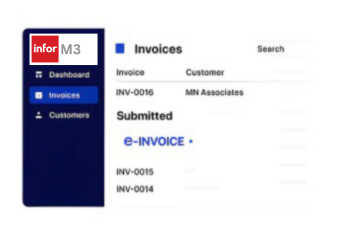
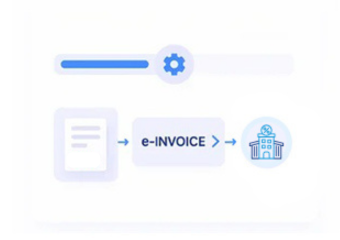
How Infor M3 E-Invoicing Works with Advintek
- Review Order Information: INFOR M3 order information is reviewed to identify relevant transactions requiring Malta electronic invoice preparation.
- Verify Customer Details: Customer and delivery details are checked against originating INFOR M3 records before invoice processing begins.
- Compare Item Lines: Item quantities, units, prices, and discounts are compared with applicable INFOR M3 order lines carefully.
- Associate Warehouse Activity: Warehouse confirmations are associated with customer transactions before corresponding billing information advances through processing.
- Structure Invoice Fields: Advintek organizes selected INFOR M3 fields into structured electronic invoice data for Malta processing requirements.
- Retain Billing References: Processed invoice references are retained with INFOR M3 records for reconciliation and operational review purposes.
What Does the Infor M3 Connector Enable?
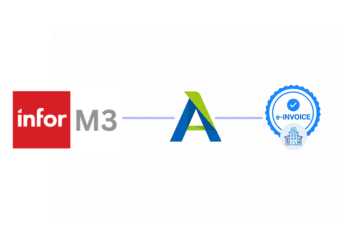
Advintek connects INFOR M3 with Malta e-invoicing by coordinating customer orders, warehouse activity, product information, procurement context, tax data, and financial records across connected business workflows.
- Connects customer orders with Malta invoices
- Links warehouse confirmations to billing records
- Associates product data with invoice lines
- Preserves procurement context for financial review
Why Infor M3 Users Choose Advintek
- Order Lineage Visibility: Provides clearer order lineage when finance teams trace billing back through INFOR M3 transactions effectively.
- Warehouse Verification Support: Supports warehouse verification by comparing delivered quantities with corresponding customer invoice information accurately effectively.
- Item Identification Accuracy: Improves item identification by retaining relevant INFOR M3 product and unit details during billing effectively.
- Procurement Context Preservation: Adds procurement context when supplier-related activity influences downstream customer transaction review and reconciliation effectively.
- Tax Review Consistency: Strengthens tax review by preserving applicable attributes from originating INFOR M3 records during processing effectively.
- Financial Investigation Support: Supports financial investigation through connected references across INFOR M3 documents and processed invoices consistently effectively.
What Infor M3 Gets for Malta E-Invoicing
Pricing Condition Linking
Connects INFOR M3 pricing conditions with applicable billing records for stronger invoice value review.
Return Transaction Context
Relates return transactions to original sales activity when credit documentation requires supporting context.
Channel Activity Mapping
Associates distribution channels with invoices when different commercial routes require separate transaction analysis.
Malta Billing Within INFOR M3
INFOR M3 connects manufacturing, distribution, sales, warehouse, procurement, and finance activities across integrated operations. Advintek coordinates selected operational records with Malta e-invoicing while preserving useful ERP references.
- Supports distribution billing across INFOR M3 operations
- Connects returns with related invoice records
- Relates sales channels to financial documents
- Preserves warehouse context during billing review
Activate Connected ERP Billing Today
Start Malta e-invoicing across your INFOR M3 environment with relevant tax details for MTCA.
Coordinate ERP data with compliant invoices.
Ready e-Invoice System
FAQs Infor M3 and Malta E-Invoicing
Can INFOR M3 sales orders support Malta e-invoicing?
INFOR M3 sales orders contain commercial information that can support electronic invoice preparation. Advintek can use relevant order references, customer details, item lines, quantities, pricing, and delivery information to structure invoice data. The originating M3 transaction remains connected, giving finance teams useful traceability during billing review and reconciliation.
What INFOR M3 warehouse information can support invoice accuracy?
Warehouse activity can provide useful evidence about fulfilled quantities and delivered goods. Advintek can associate relevant warehouse confirmations with corresponding INFOR M3 customer transactions before invoice processing. This helps businesses compare operational fulfillment information with billing records, particularly when sales transactions involve multiple deliveries or warehouse locations.
How are INFOR M3 pricing conditions handled during invoice preparation?
INFOR M3 can contain pricing conditions that influence sales transaction values. Advintek can reference applicable pricing information when preparing electronic invoice data, helping preserve the relationship between commercial pricing and billed amounts. This gives finance teams stronger context when reviewing invoice values against the originating M3 transaction.
Where do product and item records fit into INFOR M3 invoicing?
Product and item information forms an important part of INFOR M3 sales transactions. Relevant item numbers, descriptions, units, quantities, and associated details can be used when structuring electronic invoice lines. Advintek helps connect these records with invoice processing so businesses can retain clearer product-level context throughout billing.
Why should INFOR M3 return transactions remain linked with invoices?
Returns can affect the relationship between original sales activity and subsequent financial documents. Advintek can associate relevant INFOR M3 return transactions with originating sales information and applicable invoice references. This provides finance teams with better transaction history when reviewing adjustments, credit documentation, or discrepancies involving previously billed goods.