

Compliance That Fits Macola ERP Users
How Macola ERP e-Invoicing Works with Advintek
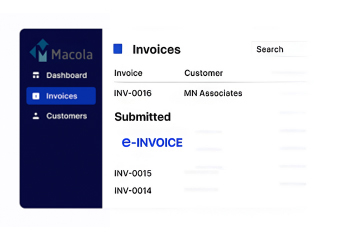
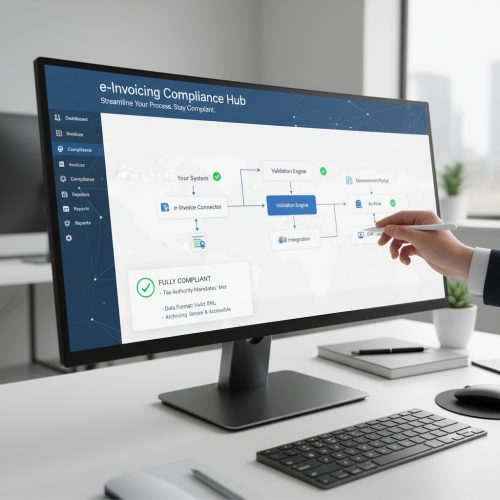
- Macola Data Capture: Collect relevant invoice details from Macola through the configured integration without repeated manual entry.
- Invoice Validation: Check invoice information against defined requirements before continuing through the e-invoicing process.
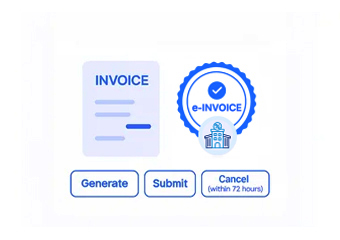
- Electronic Formatting: Convert invoice data into the required electronic structure based on the applicable framework.
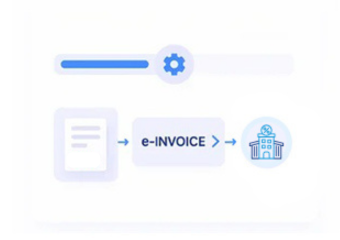
- Workflow Processing: Coordinate validation, transmission, responses, and exceptions through defined processing workflows.
- Invoice Transmission: Send prepared invoices through the selected electronic invoicing network or service.
- Response Management: Retain processing responses and invoice records to support review, reconciliation, and ongoing tracking.
What Is the Actual Function of Advintek’s Macola ERP Connector
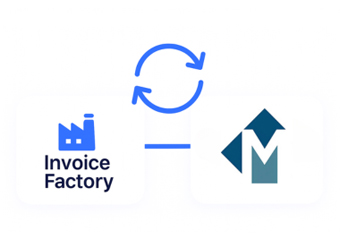
Advintek’s Macola ERP Connector adds an e-invoicing processing layer around the existing Macola environment, helping businesses validate, format, transmit, and monitor invoice information without replacing their core ERP workflows.
- Converts Macola invoice information into required electronic formats
- Sends invoices through configured e-invoicing networks
- Tracks validation responses and transmission progress
- Supports corrections, exceptions, and invoice lifecycle activities
Why Macola Users Choose Advintek in Malta
- Configured Invoice Validation: Review Macola invoice data against configured fields, tax information, references, and applicable Malta e-invoicing requirements.
- Structured Data Preparation: Map Macola invoice information into structured electronic formats while preserving relevant customer, transaction, accounting, and tax details.
- Connected Finance Workflows: Connect Macola billing and accounting activities with electronic invoicing processes without replacing established financial workflows.
- Controlled Invoice Exchange: Route structured invoice documents through configured electronic exchange channels while maintaining transaction references and processing information.
- Exception Handling Support: Identify missing information, validation issues, rejected documents, and processing responses for finance teams to review and correct.
- Reconciliation Assistance: Compare electronic invoice outcomes with Macola transaction records to support reconciliation, reporting, and ongoing finance review activities.
Everything You Need for Macola e-Invoicing in Malta
Invoice Validation Monitoring
Review invoice data, identify validation issues, and manage corrections before transmission.
Centralized Processing Visibility
Monitor invoice status, responses, processing stages, and exceptions across Macola workflows.
Ongoing Compliance Support
Address processing issues and update e-invoicing workflows as business requirements evolve.
Created for Companies Utilizing Macola ERP in Malta
Organizations using Macola ERP for manufacturing, distribution, accounting, purchasing, sales, and inventory activities can connect existing invoicing workflows with electronic invoicing processes for structured, efficient, and trackable invoice management.
- Continue creating invoices through Macola ERP workflows
- Handle electronic invoicing across billing activities
- Maintain organized invoice processing records
- Reduce repetitive invoice validation and submission tasks
Give Your Billing Workflow Greater Visibility
Manage Macola invoices through connected validation, transmission, and tracking workflows.
Integrated with Macola ERP. Delivered by Advintek.
Ready e-Invoice System
Frequently Asked Questions Macola ERP E-Invoicing Malta
Does Macola ERP support electronic invoice processing?
Macola ERP can be connected with an electronic invoicing solution through a configured integration layer. This can allow invoice information created within Macola to move into validation, electronic formatting, transmission, response handling, and tracking processes while the organization continues using its established ERP environment.
What invoice information can be transferred from Macola?
The specific information transferred depends on the Macola configuration and integration design. Typically, relevant invoice data required for electronic processing can be mapped from the ERP into the connected e-invoicing workflow. Data mapping helps establish how invoice fields, customer details, transaction information, and related records are handled.
Can Macola e-invoicing reduce manual invoice processing?
A connected e-invoicing workflow can reduce repetitive activities involved in preparing, checking, formatting, and transmitting invoices. Automation can help move relevant Macola invoice information through defined processing stages, allowing finance teams to spend less time on duplicate data entry and manual status tracking.
How are Macola e-invoice errors and exceptions handled?
Invoice errors can be identified during configured validation and processing stages. Depending on the implementation, exceptions and validation responses can be monitored so users can review incorrect or incomplete information, make appropriate corrections in the relevant workflow, and continue processing the invoice through the configured electronic invoicing process.
Can businesses track Macola e-invoice status after submission?
Yes, a connected e-invoicing environment can provide visibility into invoice processing stages and available responses. Businesses can monitor whether invoices have progressed through validation and transmission, review applicable responses or exceptions, and maintain relevant processing records for reconciliation, follow-up, and operational review.