

Compliance Support For QuickBooks Desktop
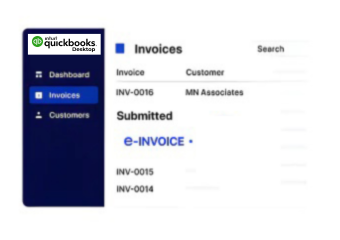
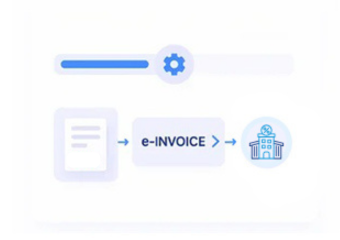
How QuickBooks Desktop E-Invoicing Works
- Select Accounting Records: Relevant QuickBooks Desktop customers, transactions, items, and invoices are identified for processing.
- Gather Transaction Information: Applicable customer, item, quantity, rate, and tax information is gathered from records.
- Structure Invoice Details: Collected accounting details are organized into structured fields for electronic invoice preparation.
- Review Required Fields: Prepared invoice information is reviewed for completeness before being connected to Malta processing workflows.
- Process Through Advintek: Advintek processes structured QuickBooks Desktop information through connected electronic invoicing workflows.
- Link Accounting References: Processed invoice references are associated with source transactions for accounting reconciliation purposes.
What Advintek Adds To QuickBooks
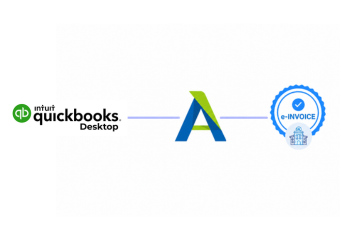
Advintek provides a connected invoicing layer for QuickBooks Desktop, coordinating accounting information with structured invoice preparation and Malta electronic processing.
- Reviews desktop transactions before invoice preparation
- Associates customers with corresponding billing documents
- Organizes item information for invoice lines
- Connects receivables with processed invoice records
Benefits For QuickBooks Desktop Users
- Accounting Record Continuity: Connects QuickBooks Desktop accounting records with invoice activity throughout the electronic billing workflow.
- Customer Information Consistency: Uses existing customer information to support accurate invoice preparation without unnecessary duplicate data entry.
- Item Detail Accuracy: Coordinates QuickBooks Desktop item information with invoice lines for consistent commercial transaction representation.
- Sales Transaction Visibility: Provides clearer relationships between sales transactions and resulting electronic invoice records for finance teams.
- Tax Data Coordination: Aligns applicable tax information with accounting transactions before invoices enter connected Malta processing workflows.
- Reconciliation Support: Helps finance teams relate processed invoice activity to originating QuickBooks Desktop accounting transactions.
Core Capabilities For Malta E-Invoicing
Bank Transaction Context
Provides relevant bank transaction context when accounting teams review invoice-related financial activity.
Credit Memo Coordination
Associates applicable credit memo information with customer transactions during connected invoice processing workflows.
Journal Entry Referencing
Relates invoice activity with relevant journal entries for stronger accounting review and reconciliation.
Built Around QuickBooks Desktop Malta
Businesses using QuickBooks Desktop can connect established accounting workflows with Malta e-invoicing while retaining familiar customer, sales, item, and financial records.
- Connects desktop accounting with invoice workflows
- Relates customer balances to billing records
- Associates credit activity with invoice transactions
- Supports reconciliation across desktop financial records
Meet E-Invoicing Requirements With Confidence
Start Malta e-invoicing across your QuickBooks Desktop environment today.
Connect accounting records with structured invoice processing.
Ready e-Invoice System
Frequently Asked Questions QuickBooks Desktop e-Invoicing Malta
What happens when a QuickBooks Desktop invoice enters the Malta e-invoicing workflow?
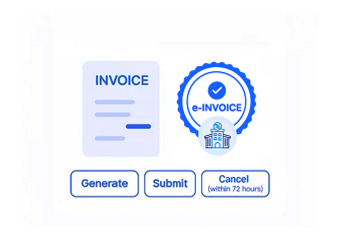
Advintek receives applicable billing information from QuickBooks Desktop and prepares it for the configured Malta e-invoicing process. Relevant invoice data is transformed into the required structure, checked against configured rules, and processed through the connected workflow while preserving key references to the originating QuickBooks Desktop transaction.
Can QuickBooks Desktop work with different Malta invoice scenarios?
Yes. The connected workflow can accommodate applicable invoice scenarios based on the business process and configured requirements. Advintek can process relevant billing information from QuickBooks Desktop for standard invoicing and other supported document situations, while applying the appropriate data handling and validation rules before electronic invoice processing.
How is invoice information checked before Malta e-invoice processing?
Before further processing, Advintek can apply configured validation checks to invoice information received from QuickBooks Desktop. These checks may identify incomplete fields, formatting issues, inconsistent values, or applicable tax information relevant to the Malta Tax and Customs Administration (MTCA). Reviewing such issues before processing supports more accurate electronic invoice records.
Does Advintek preserve QuickBooks Desktop invoice references?
Advintek can retain relevant references from QuickBooks Desktop within the connected e-invoicing workflow. These references help identify the originating transaction when invoice information is processed, monitored, or reviewed later. Maintaining this relationship gives finance teams a clearer way to trace electronic documents back to their source transactions.
How can businesses monitor Malta e-invoices created from QuickBooks Desktop?
Advintek provides workflow visibility for applicable invoices processed from QuickBooks Desktop. Finance teams can review processing activity, identify documents requiring attention, and follow relevant invoice statuses without relying solely on the originating accounting application. This provides a clearer view of electronic invoice activity across the connected Malta workflow.